Physical Address
304 North Cardinal St.
Dorchester Center, MA 02124
Physical Address
304 North Cardinal St.
Dorchester Center, MA 02124

AI assistant pricing is hard to compare because tools charge for different things. One bills per person, another per message or generated image, a third adds AI to software you already pay for. The number on the plan page also leaves out the costs that show up later: the time you spend explaining your business, the extra apps you need around the assistant, and the review work on every draft.
This guide walks through the common pricing models, the hidden costs and the questions worth asking before you pay. Then it describes, item by item, what one Empacer subscription includes, what you see before paying and how cancelling works. You won’t find price figures here. Empacer’s price depends on the offer available to you, and the exact amount is shown before you pay.
Most AI assistants for business use one of four models, sometimes mixed.
Per seat. You pay a fixed amount per user for each billing period. This is standard for team software and easy to budget. For a business where the owner is the only user, it mostly means comparing feature tiers: the cheaper tier often leaves out the features you wanted in the first place.
Usage or credits. You buy a pool of credits and each action uses some: a message, an image, a minute of audio, a finished task. A quiet month costs little and a busy one costs more, which makes the monthly figure hard to predict. Before you pick this model, find out what counts as one unit and what happens when the credits run out mid-month.
An add-on inside a suite. Email and office software vendors sell AI features as an extra on top of the plan you already have. The assistant then works inside that suite and rarely outside it, so your social posts and customer messages in other apps stay out of reach.
One plan with everything included. A single subscription covers every feature, so the choice comes down to the billing period and the total you pay over it.
None of these is better in general. Per seat suits teams with a fixed headcount, credits suit occasional use, and an all-inclusive plan suits someone who wants to use the assistant daily without counting actions.
The subscription is only part of what an assistant costs you. Three costs show up in your week instead of on your card statement.
Explaining context. General AI chat tools start every conversation from zero. Each task begins with a briefing: what your business does, your prices, who the customer is, how you like to sound. If that briefing takes longer than doing the job yourself, the tool is costing you time. Empacer’s home page names the pattern bluntly: “You’ve tried using AI. Now you have subscriptions, but no result.”
Tools you have to stitch together. A writing tool for captions, a separate app for scheduling, an automation builder to connect your email. Each has its own bill, login and learning curve, and you become the person carrying information between them.
Review time. Every draft needs a check before it reaches a customer. A tool that guesses your prices makes that check slower, because you have to verify every figure instead of skimming.
When you compare options, add a rough estimate of these hours to the subscription line.
Use this list on any vendor. A good answer is specific and visible before you pay.
Empacer is an AI business assistant for owners of small and medium businesses where the owner is also the whole team: a nail salon, a barbershop, a bakery, a photographer. Its pricing follows the fourth model above, one plan with everything included.
Getting started takes three steps. First, you choose your plan; there are a few options, depending on how long you want to commit. Second, you complete a secure payment and sign in. Third, onboarding begins: three short questions about your business, answered by holding the button and talking or by typing.
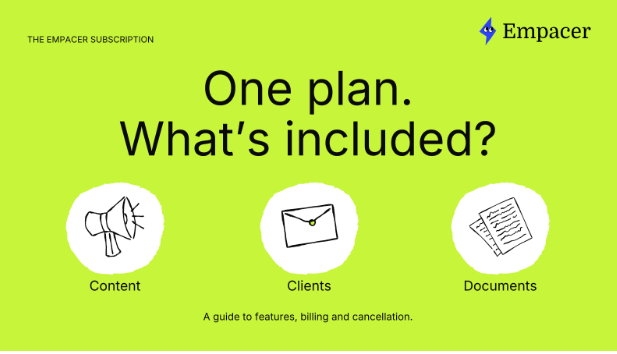
An Empacer subscription includes:
Each result arrives as a card you can edit, decline or approve. Your bookings and payments stay in the systems you use now, so there is nothing to move before you start.
The price depends on the offer available to you. Before you pay, you see the exact amount, the billing period and the renewal price. How this works is explained on Empacer’s pricing page, together with what’s included and the cancellation terms.
You get the full product right away. As soon as onboarding is done, Empacer prepares your first tasks, so you can see what it does for your business. The how-it-works page gives examples of these ready tasks: a plan for the first week and social posts ready for your OK.
This is the point to apply the hidden-cost test from earlier. Notice how much explaining the first tasks needed, how many of the drafts you’d send after light edits, and whether the assistant asked for missing details instead of guessing them.
You can manage or cancel the subscription from your account settings. If you subscribed on the website, the steps are:
If you’re already subscribed, the Subscription page in the app is where you manage your plan. For questions about charges or cancellations, the pricing page points you to the support team.
Leaving also means deciding about your data. Account deletion sits in Settings, and after you delete the account, Empacer removes the associated data from its active systems within 30 days. Before that, you can correct or delete any individual fact in About you. On training, Empacer states that it doesn’t train its own models on your chats or business data, and that the AI providers it’s built on don’t train theirs on it either.
It depends on the pricing model: per seat, per usage or credits, an add-on to software you already use, or one plan with everything included. Compare the total for a typical month, including add-ons and the renewal price. For Empacer, the price depends on the offer available to you and is shown before you pay.
One plan covers the voice assistant, business memory, tasks such as posts, customer replies and files, connections to the tools you use, notifications and product updates.
If you subscribed on the website, cancel from your profile at least 24 hours before the current period ends. You keep access until the end of that period. Deleting the app on its own doesn’t cancel the subscription.
Empacer is on your phone whenever a task comes up. It keeps your business details on hand and prepares posts, customer replies and documents for you to review, and you decide what gets sent.