Physical Address
304 North Cardinal St.
Dorchester Center, MA 02124
Physical Address
304 North Cardinal St.
Dorchester Center, MA 02124

An invitation can look beautiful and still leave a guest wondering what time to arrive. Perhaps the date disappears beneath a flourish, the venue is hidden in a photograph, or the only instruction is a decorative “RSVP” with no way to reply. The design has created a mood, but it has not finished the conversation.
For birthdays, bridal showers, anniversary dinners and casual gatherings, invitation typography gives the words a visible order. The event name introduces the occasion; practical details help people plan; the response instruction tells them what to do next. You can make each role clear without losing the personality that makes the invitation feel like yours.
Start with a plain-text message. Include the host, occasion, date, start time, location and response details. Add practical information that genuinely changes a guest’s decision, such as an outdoor setting or whether food will be served. This first draft exposes missing facts before a layout makes them harder to notice.
Keep playful language where it adds warmth. “A little sparkle before the big day” may suit a bridal shower, but it cannot replace the event name. Likewise, “Join us at sunset” creates atmosphere without establishing an arrival time. Follow the expressive line with a specific instruction.
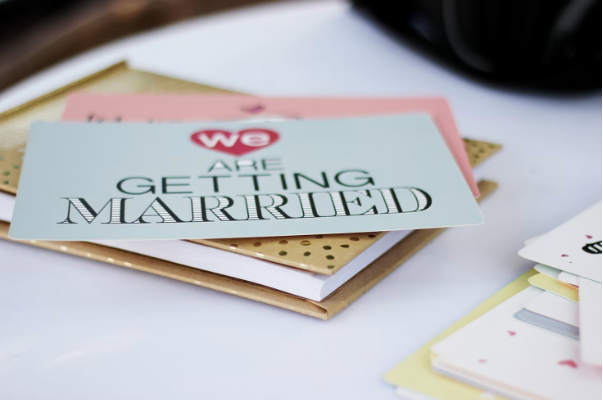
Illustrative invitation for a fictional gathering. The full address belongs in the private message sent with the card; the dates are examples.
“RSVP by 7 June” is incomplete if the reader cannot tell whom to contact. In the finished invitation, name the person and the reply method, or provide a working form link in the accompanying message. If you need a guest count, say so. A short, courteous instruction is easier to act on than a row of unexplained icons.
A useful test is to ask someone who has not seen the design to read it once and explain the plan. Listen for missing information rather than asking whether they like the colours. If they cannot find the time, first fix its wording or position before experimenting with a different font.
Think in roles before thinking in pairs. One expressive style can carry a short event title, while a quieter style handles addresses and instructions. A single family with contrasting weights can also do both jobs. Two fonts are a practical starting point, not a rule that every invitation must follow.
| Invitation element | Useful treatment | Mistake to avoid |
| Event name | A distinctive style with room to breathe | Several decorative fonts competing |
| Date and time | A readable weight and clear grouping | Numerals obscured by swashes |
| Venue and address | Plain letterforms and sensible line breaks | A tiny address squeezed onto one line |
| Dress or access details | Short explanatory text | Hints that guests have to decode |
| Response instruction | A visible deadline and reply method | An isolated RSVP with no next step |
Try the actual names before committing to a typeface. A script that looks lovely in a sample word may be difficult to read in a long surname. Check capital letters, repeated letters, apostrophes and any accents you need. Preserve the correct spelling rather than removing a mark because the chosen font does not support it.
For a relaxed garden supper, a warm serif title and simple details may fit the mood. A playful birthday card might use a rounded, bold title. A formal dinner can work with restrained typography and generous spacing. These are design options, not universal meanings: the wording, images and setting influence how the whole invitation feels.
The common mistake is applying the most expressive face to every line. An ornate title can be delightful; an ornate email address is a practical obstacle. Keep decorative treatments brief and test the invitation at the size guests will actually see.
Domino’s Pizza uses Dominos Sans Display and Dominos Sans Text, customisations of TT Commons™ Pro developed in collaboration with WorkInProgress. The published project shows how related typefaces can serve distinct roles within a brand. A party invitation can borrow that division of labour: the title creates character while supporting text delivers information. The custom Domino’s files are not a general invitation-font download.
PetChoy offers a different lesson. Its customised TT Trailers project added Vietnamese characters and playful animal-related details. Senior type designer Alina Gabidulova describes the work as “integrating the silhouettes of cats and dogs into the graphics.” The resulting files included traditional and playful treatments. For a personal event, the useful idea is selective expression: one thoughtful motif can carry a theme while names and instructions remain clear.
A printed card, an image in a group chat and an event webpage are different reading experiences. A layout that feels spacious on a laptop may become a small thumbnail on a phone. Start with the format you will actually send, then adapt the design for other uses instead of shrinking the entire card unchanged.
Pale lettering on a pale background can disappear even when both colours look attractive separately. The W3C’s contrast guidance says, “Provide sufficient contrast between text and its background.” For web content, WCAG specifies minimum contrast ratios with defined exceptions; a pretty palette alone does not establish accessibility. For a home-printed card, also check a physical proof because paper and ink affect the result.
Place essential text over a calm background. If a photograph is important, reserve a plain area for the date and address. Do not assume a shadow will rescue every line of white text over a busy image. A darker text colour or a different crop may solve the problem more cleanly.
When sharing an invitation image, repeat the date, time, venue and response route in the message. Guests can then copy the address, find the details later and follow a usable link. Avoid putting private contact details on a publicly shared version. Make a separate public announcement if you also want to post the event online.
Print one copy at actual size before ordering a batch. For digital delivery, send a test to yourself through the intended channel and inspect the received version. Look for compressed text, cropped edges and a response link that was lost when the design became an image.
| Problem in the test | Likely cause | Practical correction |
| Guests miss the arrival time | Title dominates every other detail | Increase emphasis on the date and time |
| Names are difficult to decipher | Decorative letterforms or tight spacing | Use a clearer style for the names |
| Address looks cramped | Long text forced into a narrow area | Allow additional lines |
| Details vanish on a phone | Design checked only at large zoom | Preview the received image at normal size |
| Reply link cannot be tapped | Link exists only inside a picture | Send a working link as accompanying text |
A free download is not a complete explanation of permitted use. Check the licence supplied with the font and distinguish a private invitation from paid design work, an editable template for sale or a live event website. Trial files may be offered for evaluation without permission to use them in a finished project.
If you are comparing families from TypeType, test the complete invitation wording and review the licence for the planned output before purchasing. Tell the supplier whether you need printed cards, static images, live web text or editable files for another person. Those details help identify the relevant permissions.
The foundry’s published guidance separates Desktop and Webfont uses, among other categories, and distinguishes finished artwork from transferring font software for editing. Other suppliers may define their licences differently. Check PDF embedding, access for a hired designer and any planned template distribution against the applicable agreement.
Do not attach a font folder to a message simply because a friend wants to adjust the invitation. They may need their own permission to install it. Keep the licence record with your design files, and ask the supplier about an unclear use before handing editable assets over.
Save one approved version and use it as the source for later reminders. If the plan changes, explain the change in plain text instead of circulating another nearly identical image without context. Typography can organise the message, but the host still needs to make the update explicit.
One or two is usually an easy starting point. A single family can provide contrast through size and weight. Add another family only when it has a clear role, such as a short decorative heading. More fonts do not automatically make the invitation feel more personal.
It can, but test the actual wording carefully. Addresses, times and response details often benefit from simpler letterforms. If guests need to zoom in or guess a character, keep the script for the title and change the practical text.
There is no single size that works for every typeface and format. Different fonts appear larger or smaller at the same nominal size. Judge a printed proof at its final dimensions and a digital invitation on a phone. Increase the size or simplify the layout if the details are difficult to read.
Only if its licence permits that use. Free fonts can carry different terms, and an evaluation download may not cover final work. Check commercial use, installation, embedding and redistribution separately rather than treating the download price as permission.
Include the essentials, then place longer directions or practical notes in the accompanying message or event page. Repeat key facts as text so guests can copy and search them. Keep the versions consistent, and provide a clear way to ask questions.
A successful invitation lets the occasion feel special while making attendance straightforward. Choose the words first, give each kind of information a visible role, and test the version guests will receive. The design is finished when someone can enjoy its personality and still know exactly what to do next.